Learn about Nanite’s virtualized geometry system and how it achieves pixel scale detail and high object counts.

Nanite is Unreal Engine’s virtualized geometry system which uses a new internal mesh format and rendering technology to render pixel scale detail and high object counts. It intelligently does work on only the detail that can be perceived and no more. Nanite’s data format is also highly compressed, and supports fine-grained streaming with automatic level of detail.
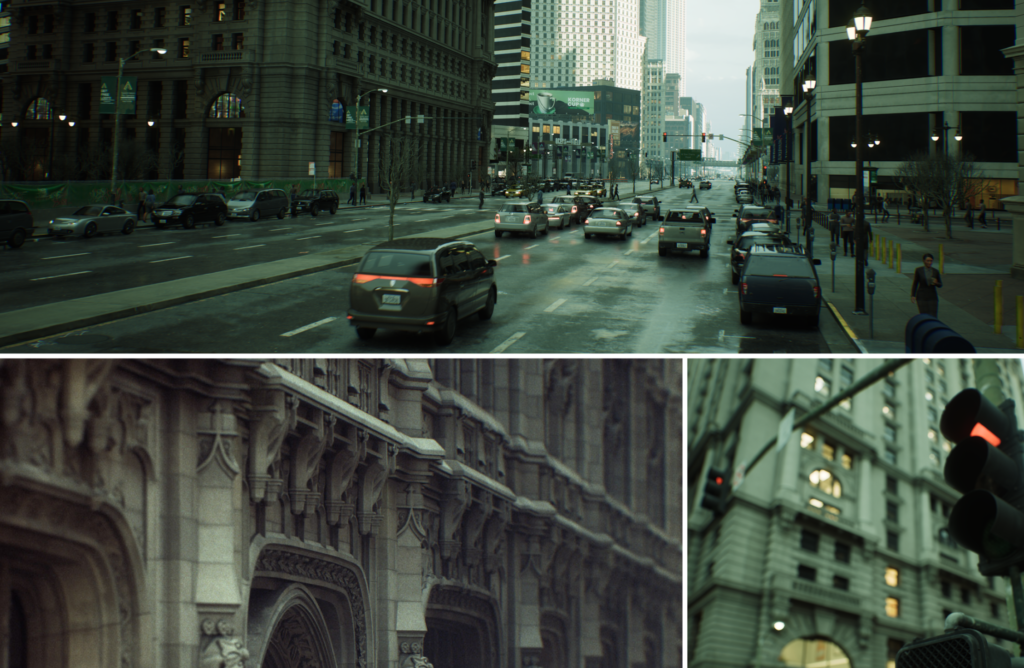
Benefits of Nanite
Multiple orders of magnitude increase in geometry complexity, higher triangle and objects counts than has been possible before in real-time
Frame budgets are no longer constrained by polycounts, draw calls, and mesh memory usage
Now possible to directly import film-quality source arts, such as ZBrush sculpts and photogrammetry scans
Use high-poly detailing rather than baking detail into normal map textures
Level of Detail (LOD) is automatically handled and no longer requires manual setup for individual mesh’s LODs
Loss of quality is rare or non-existent, especially with LOD transitions
Differences Between a Nanite Mesh and Static Mesh
A Nanite mesh is a Static Mesh with Nanite enabled on it. A Nanite mesh is still essentially a triangle mesh at its core with a lot of level of detail and compression applied to its data. On top of that, Nanite uses an entirely new system for rendering that data format in an extremely efficient way.
All that is required for a Static Mesh to take advantage of Nanite is a flag to enable it. Authoring content for Nanite is no different than traditional meshes except that Nanite can handle orders of magnitude more triangles and instances than is possible for traditionally rendered geometry. Move the camera close enough and Nanite will draw the original source triangles that were imported.
Nanite meshes support multiple UVs and vertex colors. Materials are assigned to sections of the mesh such that those materials can use different shading models and dynamic effects which can be done in the shaders. Material assignment can be swapped dynamically, just like any other Static Mesh, and Nanite doesn’t require any process to bake down materials.
Virtual Textures are not required to be used with Nanite, but they are highly recommended. Virtual Textures are an orthogonal Unreal Engine feature with similar goals for texture data that Nanite achieves with mesh data.